Disclaimer: The reviews and comparisons on this page reflect our independent professional opinions and are provided for informational purposes only. We have aimed to remain objective and unbiased. Nothing here is intended to disparage or defame any company or product. Readers should conduct their own due diligence and verify details via official sources.
SMART YOUTUBE GROWTH TOOLKIT

vidIQ Review (2026): Worth it for beginners?

If you’re scanning vidIQ reviews, we tested it the way most creators will: installed the vidIQ Chrome extension, connected a YouTube channel, ran keyword research for one video idea, then used the “best time to post” logic to pick an upload window.

vidIQ is basically YouTube SEO + analytics in a light, creator-first UI, great when you want fast topic validation, tag/title guidance, and quick competitor context without living in spreadsheets.

Best for: Small-to-mid channels doing YouTube SEO weekly.
Transparency: Suggestions are directional, still sanity-check in YouTube Studio.
Last updated: tested on February 26, 2026. Pricing changes often. There’s a free version, with paid upgrades for deeper analytics and alerts

Who vidIQ is for? (And, what you’ll actually use first?)

What we used first?

We started with Keyword Inspector to validate video ideas before recording, then used Competitor Scorecards to see which videos were outperforming us and why. After publishing, SEO Score + Title/Description recommendations were the first things we optimized, not deep analytics, just fast wins.

Who it fits best?

vidIQ works best for creators, YouTube-first brands, and lean marketing teams who want direction more than dashboards. It’s ideal when idea validation, titles, and retention cues matter more than enterprise-grade reporting.

What you’ll notice?

The biggest benefit is speed to action. You spend less time guessing what to publish and more time executing proven formats. It removes “Is this video worth making?” doubt and replaces it with clear, confidence-backed decisions, especially useful if YouTube isn’t your only channel.

How did we actually use vidIQ? (3 Real Use Cases)

These are the workflows we ran on a real YouTube channel — simple, repeatable, and beginner-friendly.

Keyword plan in one sitting

We used vidIQ keyword research to find realistic topics, then saved a short list we could publish against this month (with keyword variations + difficulty signals).

Fix the biggest growth issues first

We ran a Channel Audit to see what’s working, what’s not, and which videos to double down on, then used competitor analysis to benchmark what they’re doing better

Track progress without guessing

We used the Best Time to Post feature + the vidIQ extension scorecard to optimize uploads faster and stay consistent week-to-week.

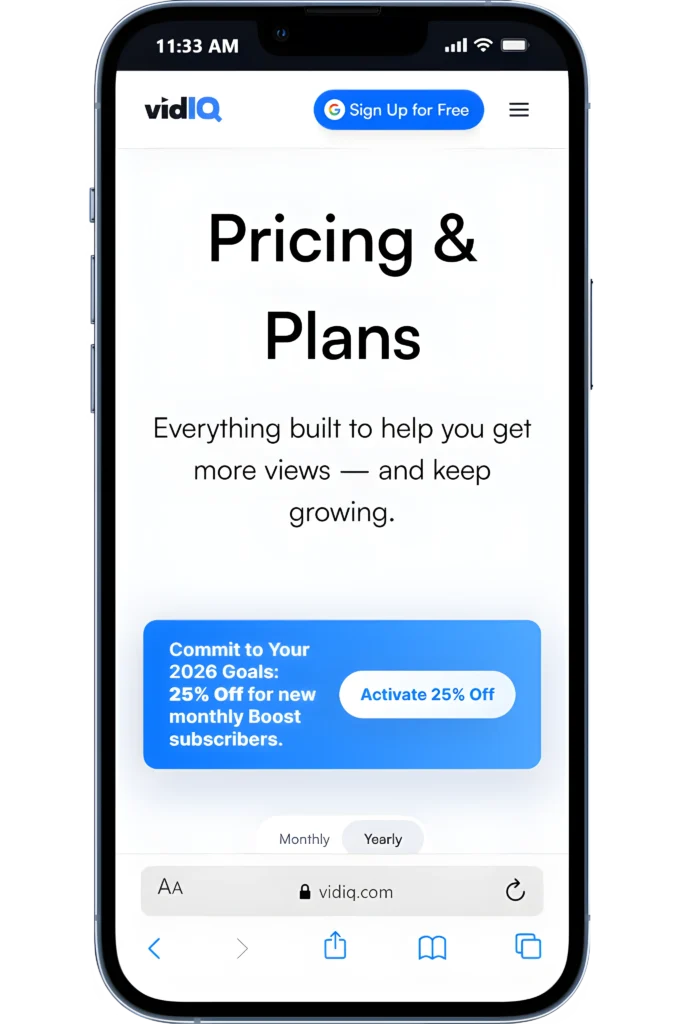
vidIQ pricing: plans, monthly cost, and the one we’d start with

We tested vidIQ the same way most creators use it: start on Free, then upgrade only when you hit limits. The biggest “aha” is that vidIQ pricing makes sense when you use it weekly for research + optimization, not just once.

vidIQ Monthly Pricing (YouTube toolkit)

Free works for basics. If you want deeper guidance, Max is $39/month (billed yearly).

vidIQ Plan Limits

The main differences are AI Coach depth, AI credits, and how much you can scale insights across your workflow.

vidIQ Isn’t Cheap!

If you only need a tag generator or quick ideas, a vidIQ free trial-style experience and basic tools may be enough.

“Worth it” Test

Our test is simple: keyword → title + thumbnail → publish → improve using what moves views.

vidIQ Max Plan (Recommended Start)

Best if you’re serious about consistent growth.

$39/month

Everything in Boost
 “Max Mode” AI trained on billions of videos
Cancel anytime (billed yearly)
Paid plans unlock the real growth stack
Unlimited AI Coach conversations
600 credits for AI clipping + Shorts generation
Free plan is a solid test run
Annual billing usually drops the effective cost

Important: vidIQ’s free and lower-tier plans come with strict feature caps (keyword volume depth, competitor data, historical insights).

It’s easy to hit those limits once you’re publishing consistently, so if you rely on vidIQ for idea validation and optimization at scale, expect to upgrade sooner rather than later.

vidIQ pros and cons (hands-on fit check)

If you’re asking how good vidIQ is for YT, here’s the quick fit check based on real workflows.

Pros

vidIQ shines when you use it before and right after publishing, not just for reporting.

Keyword Inspector helps validate video ideas before you hit record, which saves wasted uploads.
Title, description, and tag suggestions are fast and actionable, easy wins without deep SEO knowledge.
Competitor Scorecards make it obvious why certain videos are winning (velocity, engagement, format).
SEO Score acts like a checklist, useful for beginners and time-constrained teams.
Chrome extension puts insights directly on YouTube, so you don’t live in another dashboard.List item

Cons

Biggest vidIQ con: it’s directional, not definitive, you still need judgment.

Keyword scores and volume are estimates, not guarantees; over-trusting them leads to formulaic content.
Advanced insights are locked behind higher tiers, and you’ll feel the ceiling quickly if you publish often.
Limited historical and channel-level reporting compared to analytics-first tools.
Best for single-channel or small teams—not built for complex multi-channel workflows.
If you already have strong YouTube intuition, some recommendations may feel obvious or repetitive.List item

Quick summary: vidIQ is excellent for clarity and speed. If you want confidence in what to publish next more than deep analytics, it fits. If you want enterprise-grade reporting or long-term performance modeling, you’ll outgrow it.

Fit check: integrations, reporting, team access, and support

If you’re paying for Ahrefs, these are the “make-or-break” checks I’d run before committing.

NEXT STEP (HOW We TESTED IT)

Try vidIQ on your own channel!

Install the Chrome extension, research one video idea, optimize the title + description, publish one video, then track views and velocity for a week before deciding.

vidIQ Alternatives

3 tools I’d pick depending on your YouTube goal. I used the same creator workflow (idea → optimize → publish → analyze). Here are the cleanest swaps.

ALTERNATIVE 1

SEMRush Review

SEO PowerSuite

ALTERNATIVE 2

SEO PowerSuite

SE Ranking

ALTERNATIVE 3

SE Ranking Review

Digital Marketing Tool Comparisons

Pick the Right Platform Fast!

Frequently Asked Questions

FINAL CHECK

Final verdict: should you use vidIQ?

We tested vidIQ on a real channel using one simple flow: Research → Optimize → Publish.

If you’ll use keyword + tag ideas, title help, and tracking weekly, it’s a strong “yes.” If you only want basic YouTube analytics, it can feel like extra.

Use it if you want faster topic research + better titles/tags
Skip it if you already have a workflow and just need uploads.
Start free, then upgrade when you hit limits (Boost starts around $19/mo).