Disclaimer: The reviews and comparisons on this page reflect our independent professional opinions and are provided for informational purposes only. We have aimed to remain objective and unbiased. Nothing here is intended to disparage or defame any company or product. Readers should conduct their own due diligence and verify details via official sources.
SEO PowerSuite

COMPLETE SEO SOFTWARE

SEO PowerSuite Reviews (2026): Worth it for beginners?

We set up SEO PowerSuite like we test any SEO tool: download, add one real site, then run the basics. We started in Rank Tracker for keyword research + positions, then used WebSite Auditor to crawl pages and surface fix-first issues. For off-page, SEO SpyGlass sanity-checked backlinks, and LinkAssistant organized outreach. 

To judge value, we checked how fast it surfaced priorities, whether it could run reports we’d share, and what’s locked behind SEO PowerSuite pricing plans (there’s a free version, with upgrades for exports and white-label reports). 

Best for: rank tracking + site audits
Transparency: no paid placement
Last updated: We tested it on February 26, 2026. Recheck SEO PowerSuite pricing before buying.

Who SEO PowerSuite is for? (And what you’ll actually use first)

What we used first?

Start with Website Auditor and Rank Tracker. Run a crawl to catch technical and on-page issues (indexing blockers, broken links, duplicate titles, missing metas).

Then add your core keywords and competitors to track rankings and visibility week to week. Once your baseline is set, reuse report templates and rerun audits to measure fixes fast.

Who it fits best?

Best for freelancers, agencies, and in-house SEOs who want a full toolkit without paying for multiple subscriptions.

It’s especially useful if you manage many sites, need white-label reporting, and prefer deeper control over audits, exports, and workflows. If your bottleneck is execution and reporting, not strategy, this fits.

What you’ll notice?

Big wins are time saved, clearer priorities, and fewer “we’ll check later” tasks. You’ll move faster from audit → fixes → proof of impact, keep rankings and site health visible, and ship consistent updates without juggling five different tools.

How did we actually use SEO PowerSuite? (3 Real Use Cases)

These are the workflows we ran on a real site, simple, repeatable, and beginner-friendly.

Keyword plan in one sitting

We used Rank Tracker for SEO PowerSuite keyword research, then ran competitor analysis (Keyword Gap) to pick realistic targets and build a short list to publish this month.

Fix the biggest SEO issues first

We crawled the site with WebSite Auditor from SEO PowerSuite, sorted issues by priority, fixed quick wins, then re-audited to confirm changes stuck.

Track links + outreach without chaos

We used SEO SpyGlass (SEO PowerSuite backlink checker) to review link quality and spot gaps, then organized outreach in LinkAssistant.

SEO PowerSuite pricing: plans, yearly cost, and the one we’d start with

We tested the Free version first, then mapped what you actually gain when upgrading to SEO PowerSuite Professional or SEO PowerSuite Enterprise.

SEO PowerSuite Pricing Plans

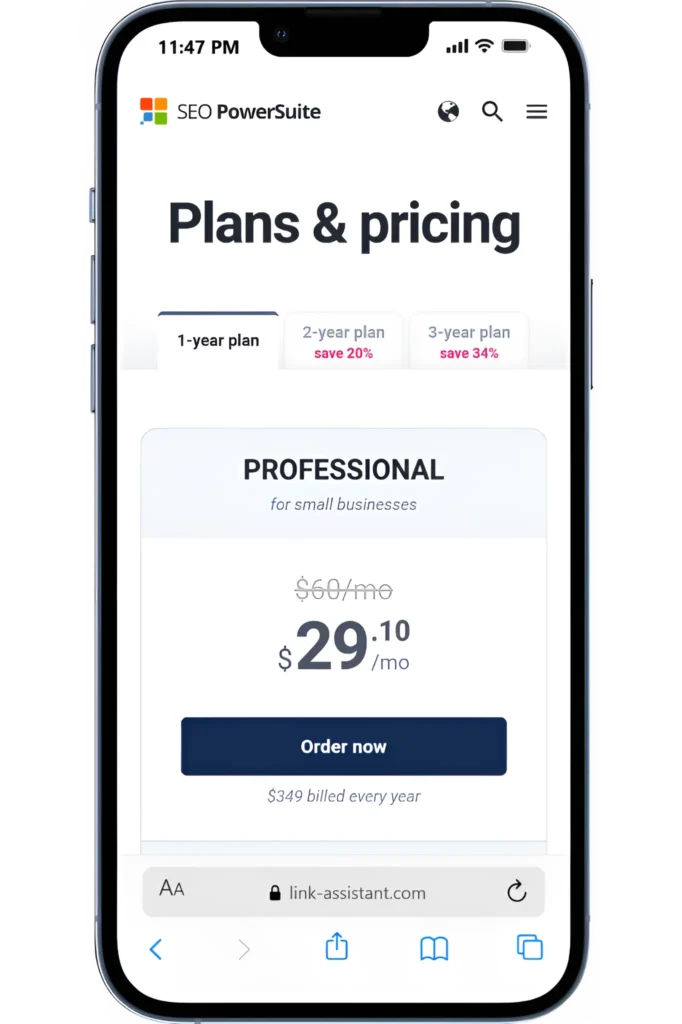
SEO PowerSuite is billed yearly, and the two paid tiers are straightforward: Professional: $349/year and Enterprise: $599/year.

Free version limits

You can use SEO PowerSuite Free as long as you want, but it’s mainly for evaluation: 1 project (no saving), crawl/audit 500 URLs, and analyze 1,100 backlinks.

SEO PowerSuite isn’t “cheap”

It’s worth it if you’ll use Rank Tracker + WebSite Auditor weekly (and actually save/export what you find).

“Worth it” Test

My test is one workflow: keyword research → audit fixes → rank tracking → reporting (exports + client-ready reports are part of the value).

SEO PowerSuite Professional (Recommended Start)

Best starting point if you’re learning SEO and working on one site (or a few).

The price mentioned is billed monthly.

$349/year

Save projects + unlock full usage
Upgrade only if you hit volume limits or need enterprise-level features
Scheduled SEO tasks (automate rank checks + audits on autopilot)
Export data in CSV / SQL / HTML for sharing + analysis
Runs customizable reports you can export/share
Best for: SEO PowerSuite rank tracker review + audits in one toolkit
Unlimited websites + keywords (no project caps)
Built-in professional SEO report templates inside the software

Important: SEO PowerSuite offers multiple plans/tiers (including a free edition and paid tiers like Professional, Enterprise, and Max+). Pricing and included features can vary by billing term and add-ons such as Search Algo Updates.

SEO PowerSuite pros and cons (hands-on fit check)

If you’re reading an SEO PowerSuite review, the benefits show up when you use the toolkit weekly (not just once).

Pros

SEO PowerSuite’s value shows up when you use it continuously for real SEO ops, weekly rank tracking, recurring site audits, and repeatable client reporting, rather than as a one-time “check my site” tool.

Rank Tracker SEO PowerSuite is strong for daily monitoring + keyword research in one place.
Website Auditor from SEO PowerSuite gives a clear fix list by crawling your site and surfacing issues fast.
On-page improvements feel practical: Content Audit helps you improve page SEO using competitor insights.
SEO SpyGlass backlink checker includes “Penalty Risk” style analysis to spot risky links before they hurt you.
Yes, SEO PowerSuite will run reports—custom templates can be exported as PDF/HTML and shared or delivered.

Cons

Biggest SEO PowerSuite con: it’s desktop-based and feature-dense, so setup + learning curve can feel heavy at first (and some automation/reporting perks depend on your plan).

It’s a desktop toolkit, so setup + updates feel more “software” than SaaS (download + local projects).
Rank tracking can trigger CAPTCHAs/temp blocks if you push too many queries too fast.
The SEO PowerSuite free review is mainly for testing: no project saving, 500 URL crawl cap, and 1,100 backlinks tracked.
Data is directional, you still need judgment before acting (especially on links + keywords).

Quick Summary: The value of SEO PowerSuite pros and cons is simple: if you’ll use Rank Tracker + audits + reporting every week, it’s worth paying for the SEO PowerSuite pricing plans. If you only need one feature, an alternative can be a better fit.

Fit check: integrations, reporting, team access, and support

If you’re paying for SEO PowerSuite, these are the “make-or-break” checks we recommend before committing.

NEXT STEP (HOW We TESTED IT)

Try SEO PowerSuite on your own site

Run one full site audit, track 10–20 priority keywords, analyze a competitor’s backlinks, and export a report. You’ll quickly see whether it fits your SEO workflow before committing.

USER FEEDBACK

What SEO PowerSuite users say (and what matched our test)

We tested SEO PowerSuite on real websites. Below are recurring themes from public reviews, along with what we observed firsthand during audits, rank tracking, and reporting workflows.

SEO PowerSuite Alternatives

3 tools I’d pick depending on your SEO goal. I tested them using the same core workflow (site audit → rank tracking → backlink analysis). Here are the simplest swaps.

SEMRush Reviews - Alternatives

ALTERNATIVE 1

SEMRush Reviews

Ahrefs Logo

ALTERNATIVE 2

Ahrefs

ALTERNATIVE 3

SE Ranking

Digital Marketing Tool Comparisons

Pick the Right Platform Fast!

Frequently Asked Questions

FINAL CHECK

Final verdict: should you use SEO PowerSuite?

We tested it using one loop: keyword research → audit → track.

Use it if you want a desktop SEO toolkit with Rank Tracker + WebSite Auditor, and you’ll run reports weekly. Start with the free version, then upgrade to Professional ($349/year) when you need saved projects + exports.
Skip it if you need true SaaS-style team collaboration or only occasional checks; an online rank tracker alternative may be simpler.